About Sitemule Workspace
Modernize the 5250 Interface without Changing Programs
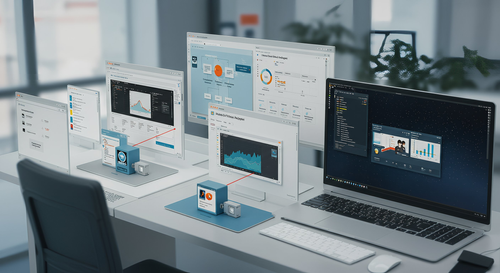
Sitemule Workspace transforms how users interact with IBM i by refactoring and modernizing the existing 5250 interface. It improves usability, productivity, and integration without altering existing programs, ensuring users receive immediate benefits through a modern, intuitive interface while organizations maintain the reliability and security of IBM i.
Intelligent Web-Based Emulation
Sitemule Workspace is powered by the IceCap Engine, an advanced middleware engine purpose-built to modernize IBM i environments without altering existing application programs. IceCap operates as a Virtual Terminal in the core of the IBM i system, intercepting and transforming the 5250 character-based console format into structured JSON. This provides immediate, one-to-one, web-enabled emulation that transforms 5250 functions in a modern, multitasking environment. The conversion opens the rigid 5250 data stream for further interpretation and manipulation, creating new possibilities for the interface.
IceCap Architecture
IceCap emulates 5250 applications into web interfaces through four coordinated modules:
-
Virtual Terminal - Emulates the 5250 environment, capturing screen interactions exactly as a traditional terminal while ensuring full compatibility with existing IBM i applications.
-
Emulation Engine - Converts the 5250 data stream from character-based screens into structured JSON, enabling intelligent manipulation without modifying original programs.
-
Web Client - Renders JSON data as a responsive browser application, replacing green screens with modern components while maintaining operational integrity.
-
Navigation Module - Automates repetitive tasks and orchestrates multiple screens into streamlined workflows, improving efficiency without altering program logic.
This middleware approach enables modernization without redevelopment, reducing risk and accelerating implementation.
Flexible Presentation Modes
Sitemule Workspace is delivered with eight different color themes and four predefined presentation modes.
-
Flat mode provides one-to-one 5250 emulation on the web.
-
Flex mode uses proportional font display for a flexible appearance.
-
Flow mode converts subfiles into tables with right-click options.
-
Flip mode transforms the entire screen into a Windows-like interface.
Organizations can easily develop customized presentation modes using predefined keywords and use the intuitive globalization feature to translate or correct field labels, column headings, and text in the users' native languages.
Enhanced Functionality and Usability
Rather than converting individual screens, the platform focuses on improving specific fields or field patterns throughout the system. It adds new features and usability elements by changing data within the 5250 data stream as it processes. Actions are triggered based on screen identifiers, field descriptions, field contents, or on-screen text. After screen completion, the system can direct users to other applications, run web services, or update databases. The emulation program is highly flexible and customizable in RPG through specialized Virtual Terminal (VTS) commands.
Advanced User Experience
Users benefit from structured navigation and tab-based multitasking for seamless task switching. The platform provides SQL breakouts, type-ahead functionality, dropdown menus, checkboxes, and calendar fields. Data entry speed and accuracy improve with enhanced data integrity. Multiple 5250 screens are orchestrated into seamless processes reflecting current business procedures.
Modern Integration Capabilities
The platform integrates with Microsoft Office and third-party applications, enabling the management of documents, reports, and communications directly within the IBM i environment. It renders 5250 screens as RESTful web services for access by other platforms. These services can imitate user actions without showing screens, or open web-enabled screens in iframes when user input is needed. Likewise, Web services from other platforms can access 5250 screen data for time-sensitive information, transaction details, maps, or charts.
Preserved Security
The IBM i authorization and role-based access control systems are fully preserved. Enhanced validation mechanisms reinforce data accuracy and system reliability. Modernization never compromises governance or compliance.
It becomes progressively smarter over time
The setup operates across the entire system, providing system-wide improvements. Changes to traditional 5250 screens are reflected in the new interface immediately, ensuring automatic updates. The emulation becomes progressively smarter over time, covering all screens and modifications. Decades-old issues are addressed with modern validation, reducing errors. Business processes are optimized without rewriting code, resulting in faster workflows. The 5250 environment is brought into a modern service-oriented architecture through web services.
Implementation Timeline
The transformation occurs within weeks, providing a modern, user-friendly experience that meets today's standards for efficiency and collaboration, with visible impact evident within the first week.